Own your photos and files. Stop renting space from Google.

Redway Drive is a private Dropbox and Google Photos that runs on your own Cloudflare account, with your name on it. You paste one prompt into Claude, click Allow twice, and it builds the whole thing for you.

1prompt to paste
5steps
~20 minto your first sign-in
$5/moplus storage, paid to Cloudflare
Watch it first: 25 seconds.

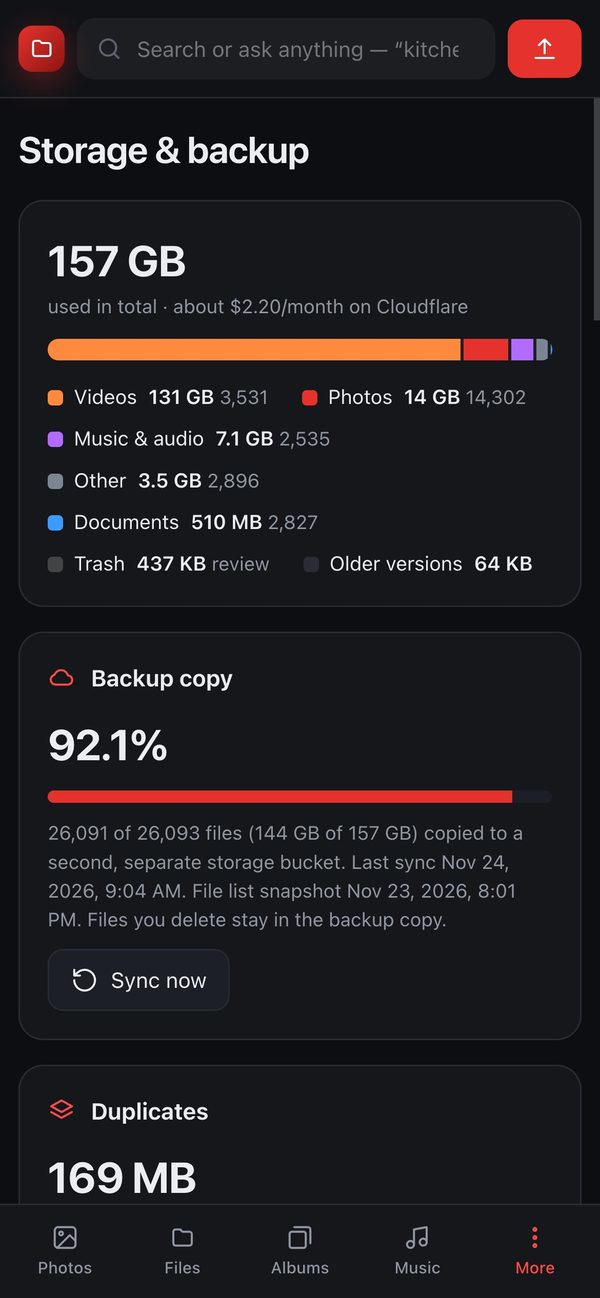
This is the drive the blueprint builds. Real numbers from the real thing: 14,000+ photos back to 2011, 157 GB, and about $10 a month to run. Photos are blurred for privacy.

Everything Google Photos and Dropbox do, on your account.

Plus the things they charge extra for, or don't do at all.

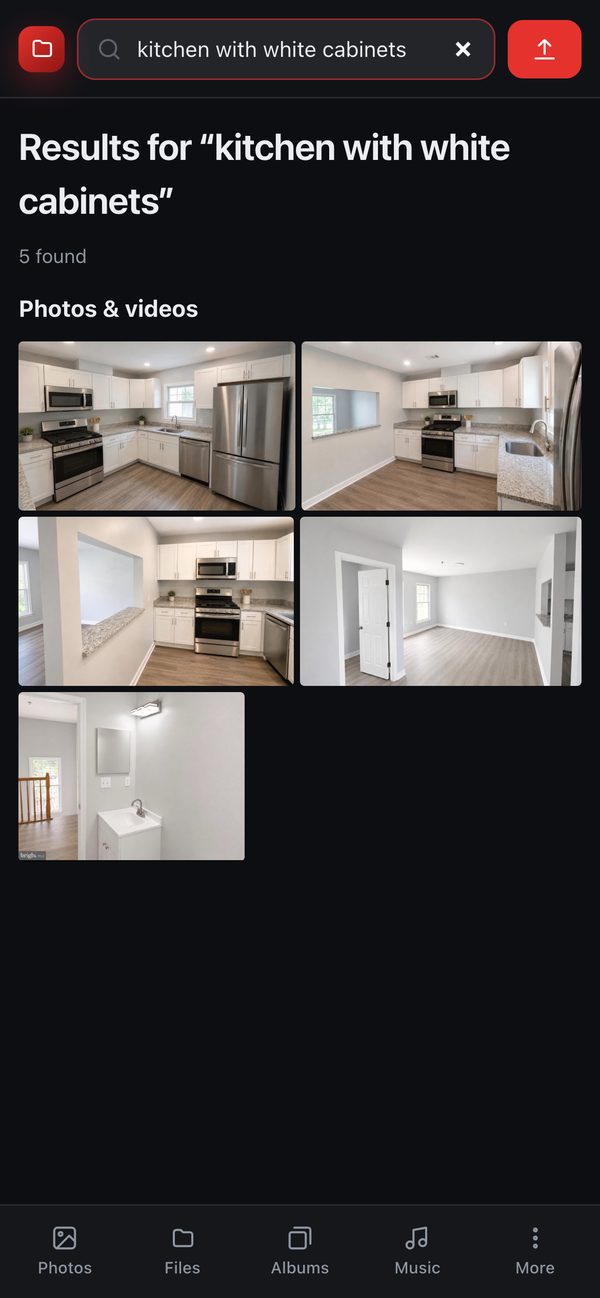
Search results for kitchen with white cabinets

Search by what's in the photo

Type "kitchen with white cabinets" or "receipt from Home Depot." No tags, no albums needed.

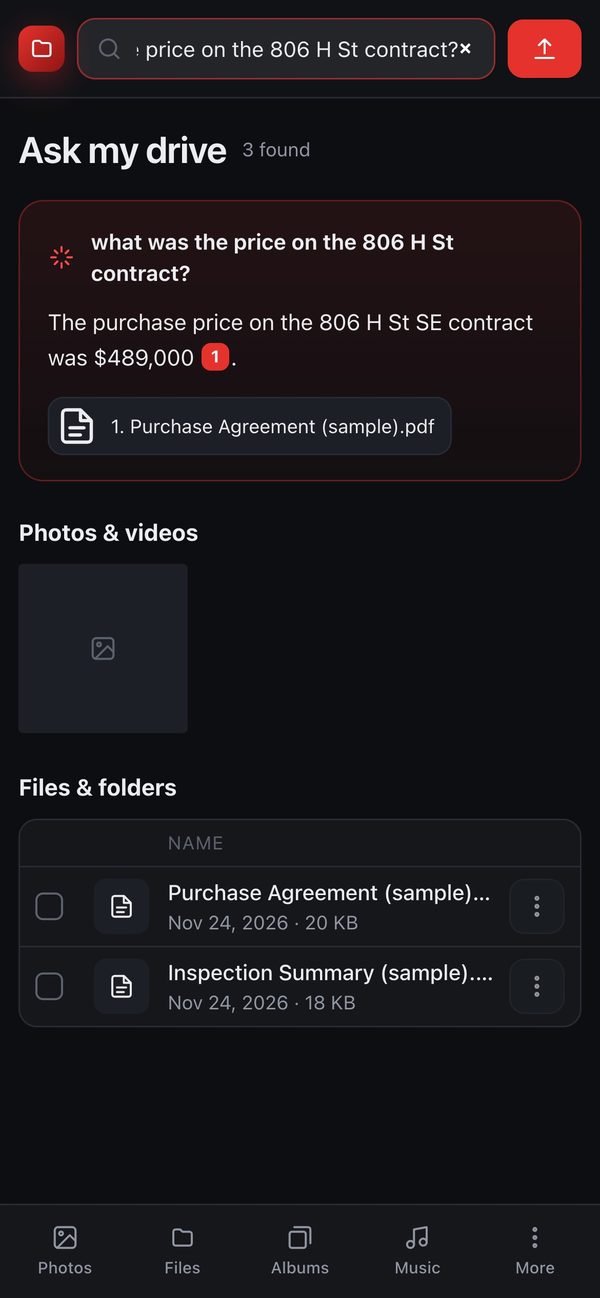
Ask my drive answering a contract price

Ask your files questions

"What was the price on that contract?" It reads the PDF, answers, and links the file.

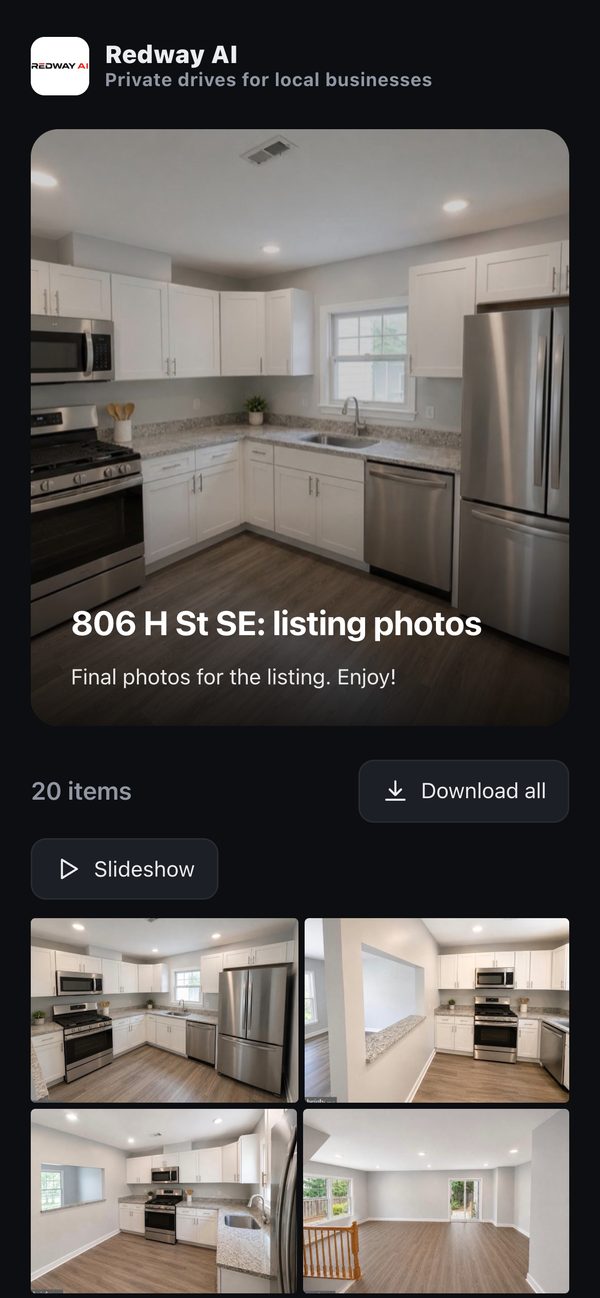
Branded share gallery with Download all

Branded share galleries

Your logo and name on top, one "Download all" button, passwords and links that expire.

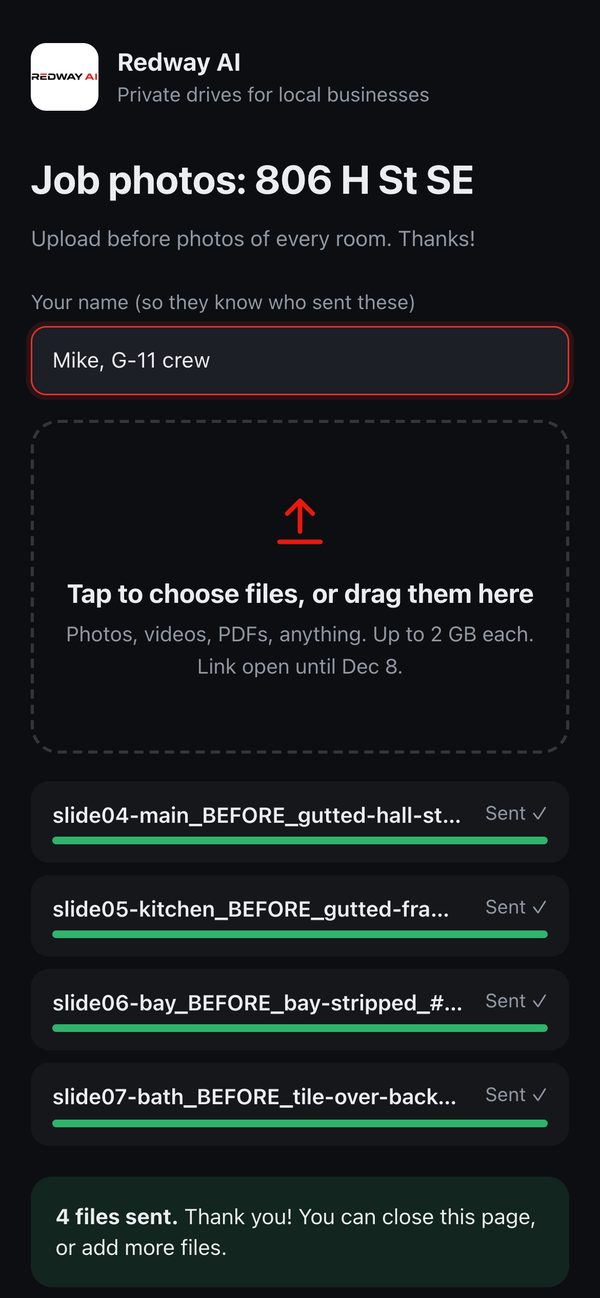
Client upload page

Client upload links

Clients, subs and sellers send files with one link. They never see the rest of your drive.

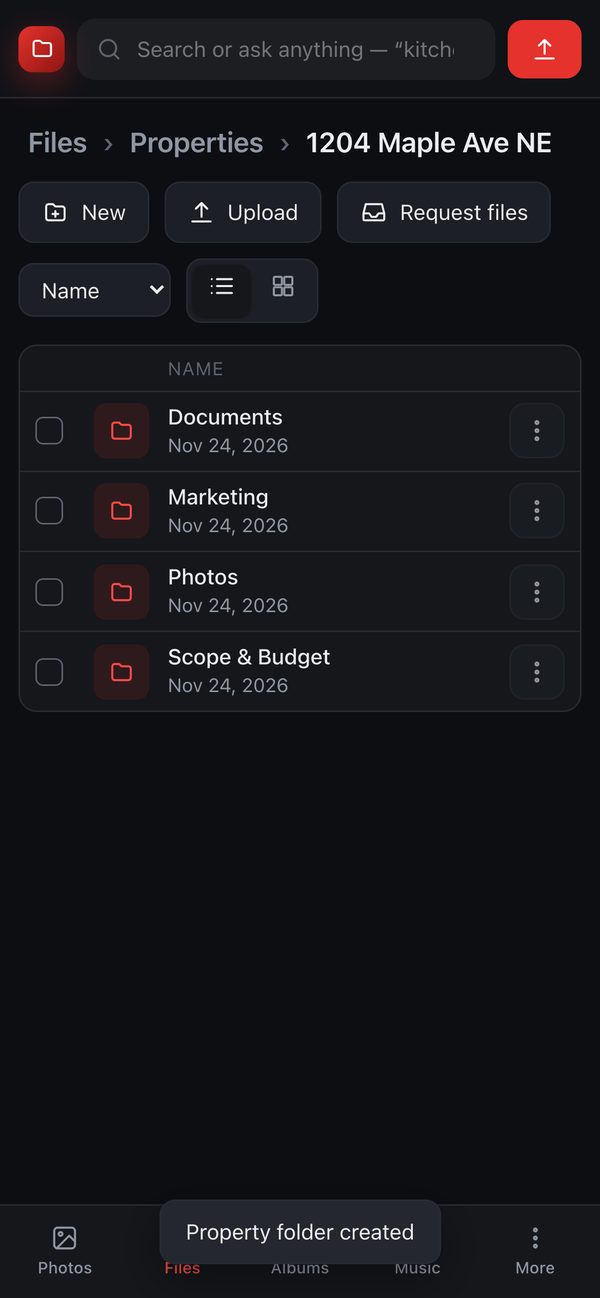
Property folder with Documents, Marketing, Photos

Property and job folders

Type an address and the same set of folders appears for every job. You pick the template.

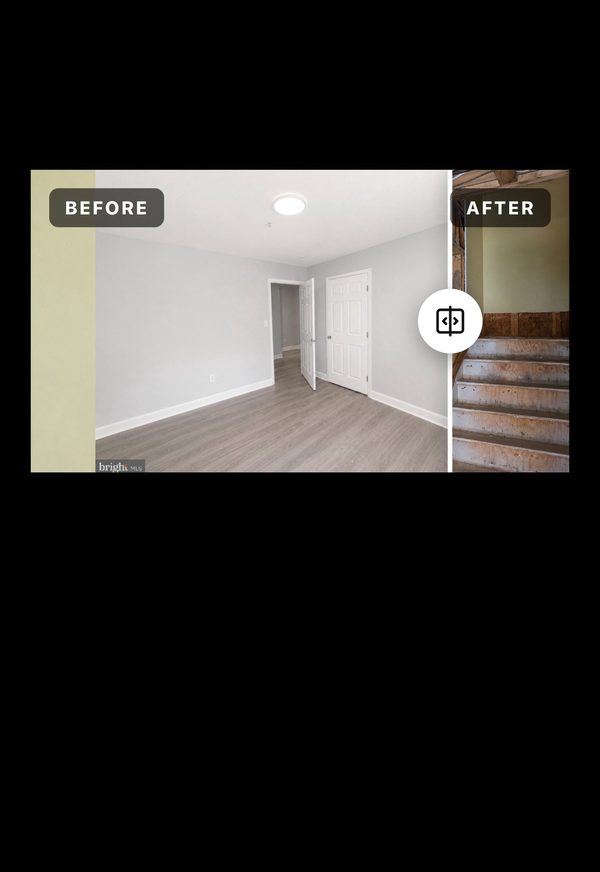
Before and after slider

Before and after in one tap

Pick two photos, drag the slider, save the image for your page.

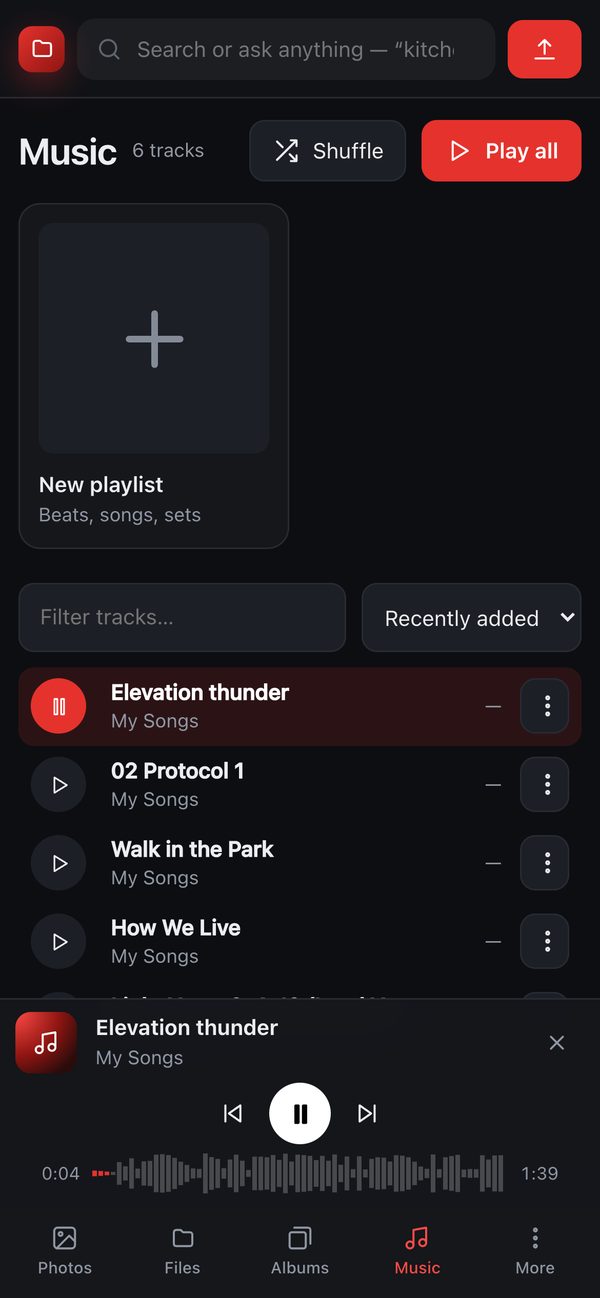
Music player with playlists

Music player

Songs and beats get playlists and waveforms. Share a player link with anyone.

Storage page with backup copy status

Backed up, twice over

A second copy of every file in separate storage, nightly database snapshots, and Face ID sign-in.

A whole system in one ZIP.

You don't need to read any of it. Claude does. But here's what you're getting.

Get the free kit

What you need before you start.

Two accounts and one app. Have your card handy for Cloudflare. Everything you store is billed to you by Cloudflare, not by us.

SiteWhat it doesCost
Claude DesktopRequiredThe app that reads the kit and runs the install for you. Use the Code tab.Pro $20/mo
CloudflareRequiredYour drive lives here: the app, the storage, the AI search. Upgrade to Workers Paid and turn on R2.$5/mo
Cloudflare R2 storageThumbnails and the app always; your original files too if you skip Backblaze (plus a second backup copy). First 10 GB free each month.$0.015/GB/mo
Backblaze B2RecommendedCheaper home for your original files, about half the price. Deleted files are kept 30 days. Worth it once you pass about 200 GB.$0.007/GB/mo
Node.jsA free tool the installer runs on. Claude checks for it and tells you if you need it.Free
Your own domainOptionalLike drive.yourname.com. Must already be in the same Cloudflare account. Skip it to get a free address.~$10–20/yr
Google TakeoutOptionalExports your Google Photos and Drive so you can move them in.Free
0 of 4 ready

Works best on a Mac. On Windows, the install, sign-in, Google move-in and iPhone backup all work; the automatic Mac backup and helper app are Mac only.

Five steps. One prompt. Claude does the rest.

0 of 5 done
1

Get Cloudflare ready

  1. Make a free account at dash.cloudflare.com.
  2. Go to Workers & Pages → Plans and pick Paid ($5/month).
  3. Open R2 Object Storage and click Enable (or Purchase). It asks for a card; the first 10 GB are free.
2

Install Claude Desktop

  1. Download it from claude.ai/download and sign in. A Pro plan or higher is needed for the Code tab.
  2. Open the Code tab and choose a folder to work in, like Documents.
3

Download the kit

  • Enter your email below and the kit downloads as a ZIP. Leave it as a ZIP. Don't unzip it.
Get the free kit
4

Drag the ZIP in and paste this prompt

  1. Drag redway-drive-kit.zip into the Claude chat.
  2. Copy the prompt below, paste it, press Enter.
  3. When a browser window asks you to sign in to Cloudflare, click Allow.
The one prompt
Unzip redway-drive-kit.zip into this folder, open the redway-drive folder, and read START-HERE.md. Then follow it step by step to install Redway Drive on my own Cloudflare account.

I'm not technical. Before each step, tell me in one or two plain sentences what you're about to do, and stop and tell me exactly what to click whenever it's my turn. Never show me secret keys, except my one-time setup code at the end.
5

Sign in to your new drive

  1. Claude gives you your web address and a one-time setup code.
  2. Open the address, type the code, and choose your own password. Only you know it.
  3. Go to Security → Add this device to sign in with Face ID or Touch ID.
  4. On your iPhone, open the address in Safari → Share → Add to Home Screen.

What Claude does after you press Enter

Checks your computerLooks for Node.js and installs what the kit needs.
Signs you in to CloudflareOpens a browser window. You click Allow.
Asks 3 questionsYour name, a short name for the drive, and which web address.
Builds your storageTwo storage buckets, a database and an AI search index, all in your account.
Publishes the driveYour private site goes live with its own secret keys.
Hands you the codeYour one-time setup code, so you choose the password.

Move in from Google. Nothing gets deleted.

Google's own export tool, Takeout, packs up your photos and files. Claude moves them in and keeps your album names and photo dates.

1

Ask Google for your export

  • Go to takeout.google.com, click Deselect all, then tick Google Photos and Drive.
  • Choose .zip and 50 GB parts. Google emails you when it's ready, from a few hours to a couple of days.
2

Download the zips into one folder

  • A folder in Downloads called Takeout works. No need to unzip them.
3

Tell Claude where they are

Say this to Claude
Move my Google Takeout into my drive. The zips are in Downloads/Takeout. Keep my album names and photo dates, skip duplicates, and let me know how it's going.
  • It can be stopped and started again. Duplicates are skipped. Your Google account stays exactly as it is until you decide to clean it up.
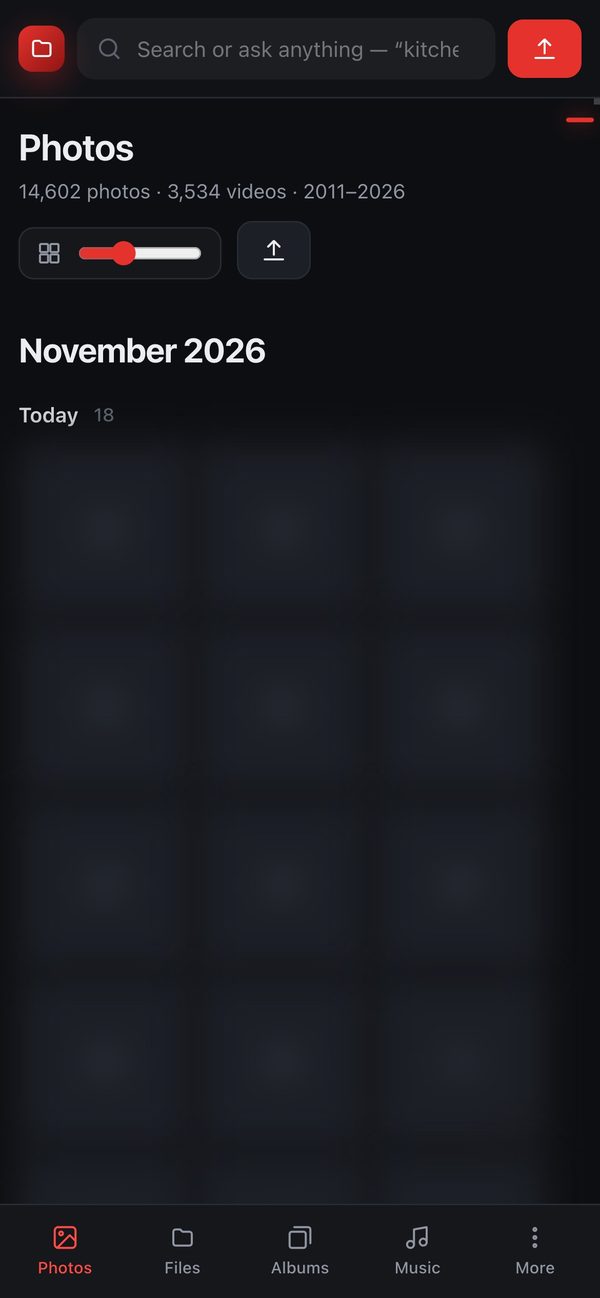
Photos timeline showing 14,602 photos and 3,534 videos from 2011 to 2026

Back up your phone and computer on their own.

Set it once. New photos and files show up in your drive without you thinking about it.

iPhoneIn your drive, open Security → Add iPhone and follow the Shortcut steps on screen. Your iPhone then sends new photos to your drive.
MacSay to Claude: Back up my Documents and Desktop folders automatically. It checks for changes every 10 minutes, in the background.
A family member's MacSay: Build me the Drive Helper app. You get an app with buttons for Google move-in and backup, no Terminal. Hand it over by AirDrop. It holds an upload key, so never email it.
Email files inWith your own domain, files emailed to drive@yourdomain land in your drive. Ask Claude to turn it on.

After it's built, just ask in plain words.

Open the same Claude folder any time and say what you want.

Update my drive.Installs a newer kit version you've downloaded, without touching your files.
I forgot my drive password.Claude resets it from your computer. Only someone with your Cloudflare sign-in can do this.
Put my drive on drive.mybusiness.com.Moves it to your own domain (the domain must be in your Cloudflare account).
Make a second drive for my wife.One kit can run several drives, each with its own password and storage.
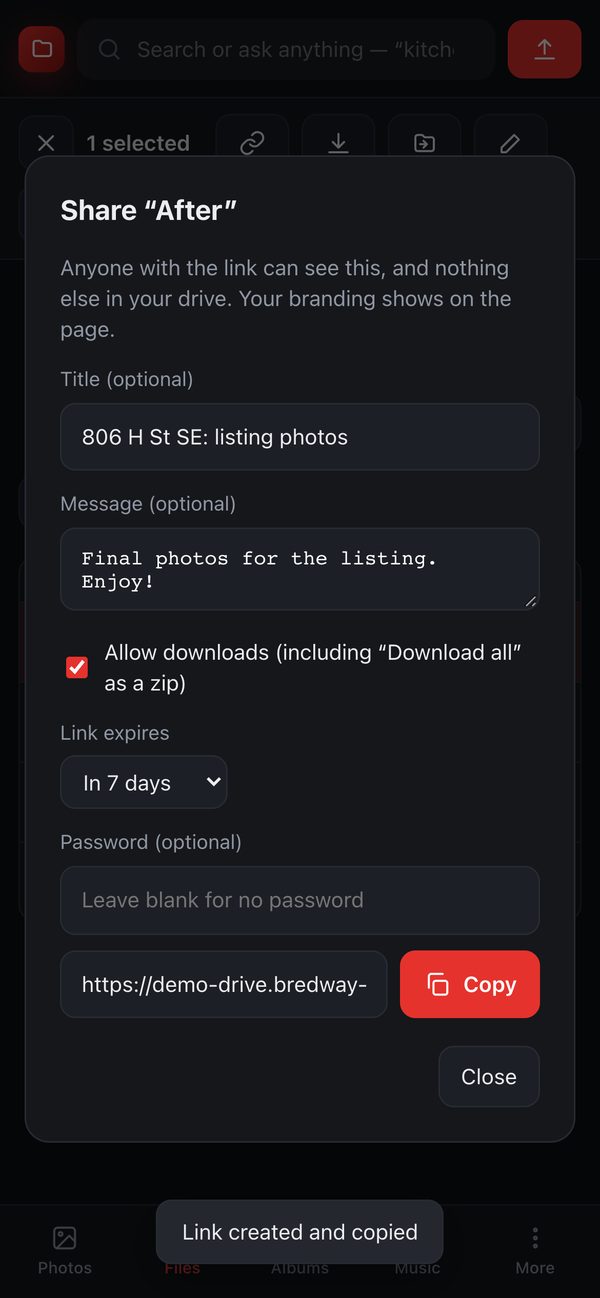
Share dialog with title, message, downloads and link expiry

Four things to know.

Your setup code is a keyUse it once to choose your password, then it stops working. Don't post it or text it to anyone.
The bill is yours, and it's smallCloudflare charges you directly. Check it any time under Billing in your Cloudflare dashboard.
A new address takes a few minutesIf your link doesn't open right after the install, wait five minutes and try again.
Nothing leaves your accountYour files, the AI search and the backups all run inside your own Cloudflare account. We can't see them.

What it costs you each month.

Pick how much you'd store and where your files live. Both choices protect deleted files: Cloudflare keeps a full second copy, Backblaze keeps deleted files for 30 days.

Prices checked Nov 2026: Cloudflare Workers Paid $5/month and R2 $0.015 per GB a month after 10 GB free; Backblaze B2 $6.95 per TB a month; MEGA's yearly-billed monthly rate. Thumbnails and video copies (about 10% extra) stay on Cloudflare either way.

$9.65
a month, all in

If something goes sideways.

Pick a question.

Get the kit. It's free.

Enter your email and the download starts right away. Then follow the 5 steps above.

We'll only email you about Redway Drive. Unsubscribe anytime.